Write new articles for searches you have no page for
A content gap card is a search people make that your site has no page for. Here's how CitedSEO finds one, what the card shows and what approving it does.
Written By Damian
Last updated About 2 hours ago
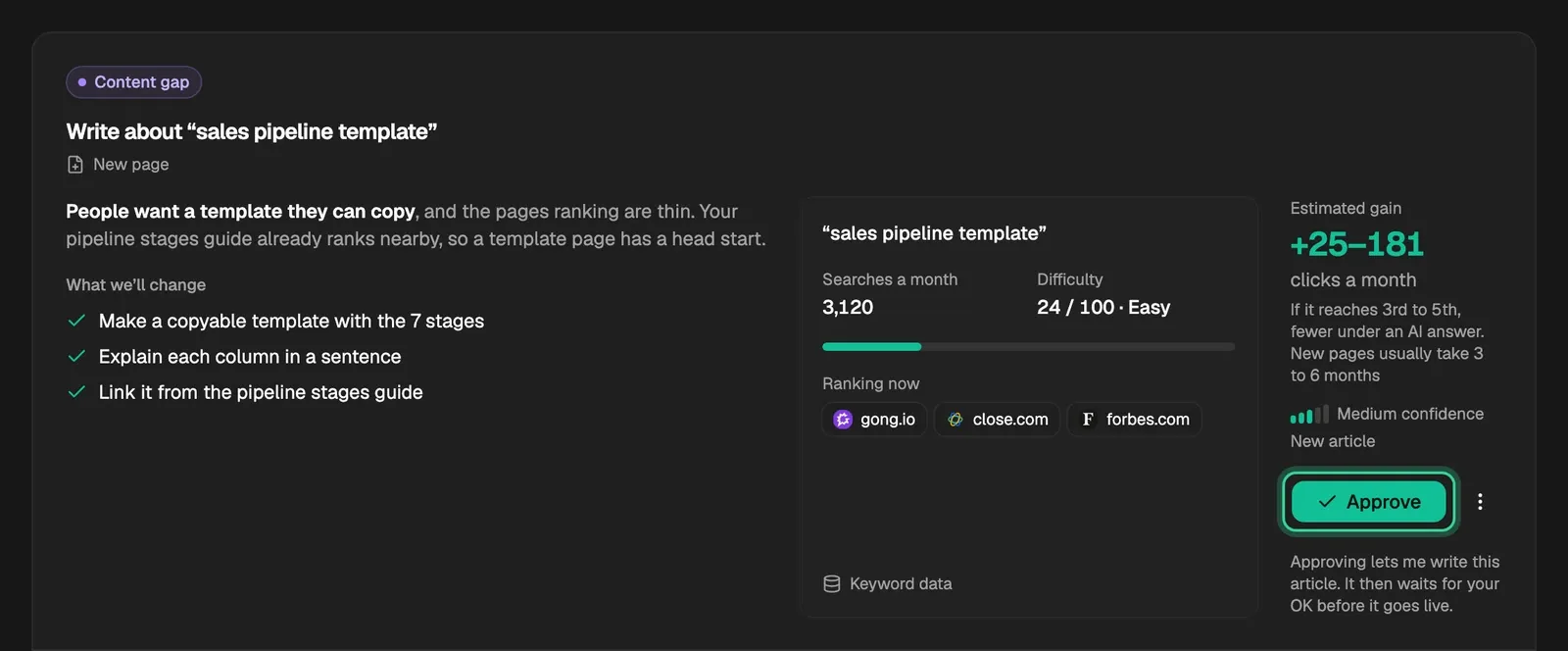
A Content gap card means people search for something you sell or know about, and your site has no page for it yet. CitedSEO finds it in the searches it researches for your site, checks that a new page has a fair chance of ranking, and estimates the clicks a month the page could bring. When you approve the card, it writes a new article for those searches.
Where it comes from
Each week CitedSEO researches new searches for your site: ones your site already shows up for in Search Console, ones your business's topics suggest, and ones your competitors rank for that you don't. It groups searches that one page would answer, and each day it looks for a group with no page on your site.
A group becomes a card only when all of these are true:
- No page of yours covers it. Not one CitedSEO wrote, and not one of your own. If one of your pages already answers the search, even without ranking for it, CitedSEO won't write a second page to compete with it.
- It's winnable. The most searched search in the group is under 50 of 100 in difficulty for your site (Very easy, Easy or Possible). From 50 up, a page needs links from other sites to rank, which CitedSEO doesn't make.
- An article answers it. A search to reach a particular site, or to buy something, isn't one an article answers, so it's left out.
- It's worth a click. A group too small to bring even one click a month is left out.
Content gaps don't wait for Search Console or for your first article, so they're often the first cards you see.
What the card shows
- Write about “…”: the search the article leads with, and New page, since there's no page yet.
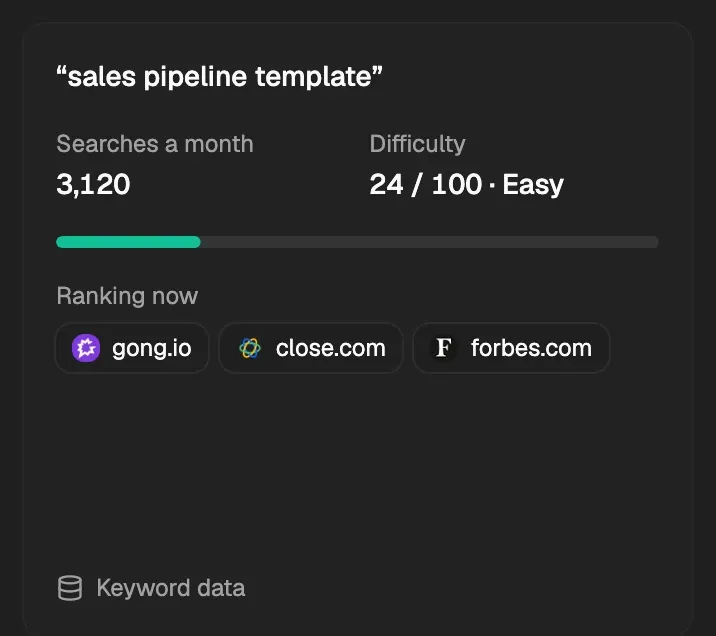
- The numbers: the search, its Searches a month, its Difficulty out of 100 with its band, and up to three sites Ranking now, your competitors first. Hover over Keyword data to see when they were read.
- Estimated gain: a range of clicks a month, with the place it assumes underneath ("If it reaches 3rd to 5th, fewer under an AI answer").
- How sure CitedSEO is, as High, Medium or Low confidence.
How the clicks range is worked out
The easier the search, the higher a new page can expect to land: Very easy aims for 3rd to 5th, Easy for 5th to 8th and Possible for 8th to 10th. The range adds up the searches a month for every search in the group, then uses how often people click each place on page one. The low end assumes an AI answer sits above the page at the lower place, and the high end assumes none at the higher place. It's an estimate, not a promise, and confidence is lower for harder searches.
If one of the questions CitedSEO tracks in AI visibility asks about the same thing, and no page of yours answers it, the question goes on this card too. Its Why says which AI assistants answer it without citing you.
What happens when you approve it
Approve lets CitedSEO write the article: it researches the facts, plans the article, writes it, checks it and makes its images. See How CitedSEO writes an article.
- With New articles on in Autopilot, the finished article publishes on its day: "Approving lets me write this article, check it and publish it on its day. You can undo it."
- With it off, the article waits in Articles, marked Ready for your OK, until you publish it: "Approving lets me write this article. It then waits for your OK before it goes live."
Like every card, it starts on its day, one a day. Once it's live you can take it down.
Tip: To have CitedSEO write about a search it wouldn't pick itself, find it in Keywords and press Write this. Asking counts as your OK, so it's written straight away.
Related
Was this helpful?
Still need help? Share an idea