Choose what ships on its own
Autopilot decides which kinds of change go live without waiting for you. Every new site starts on Approve first.
Written By Damian
Last updated About 2 hours ago
Every new site starts on Approve first: nothing goes live on your site until you approve it. You can change that at any time in Settings › Autopilot, for every kind of change at once or one kind at a time.
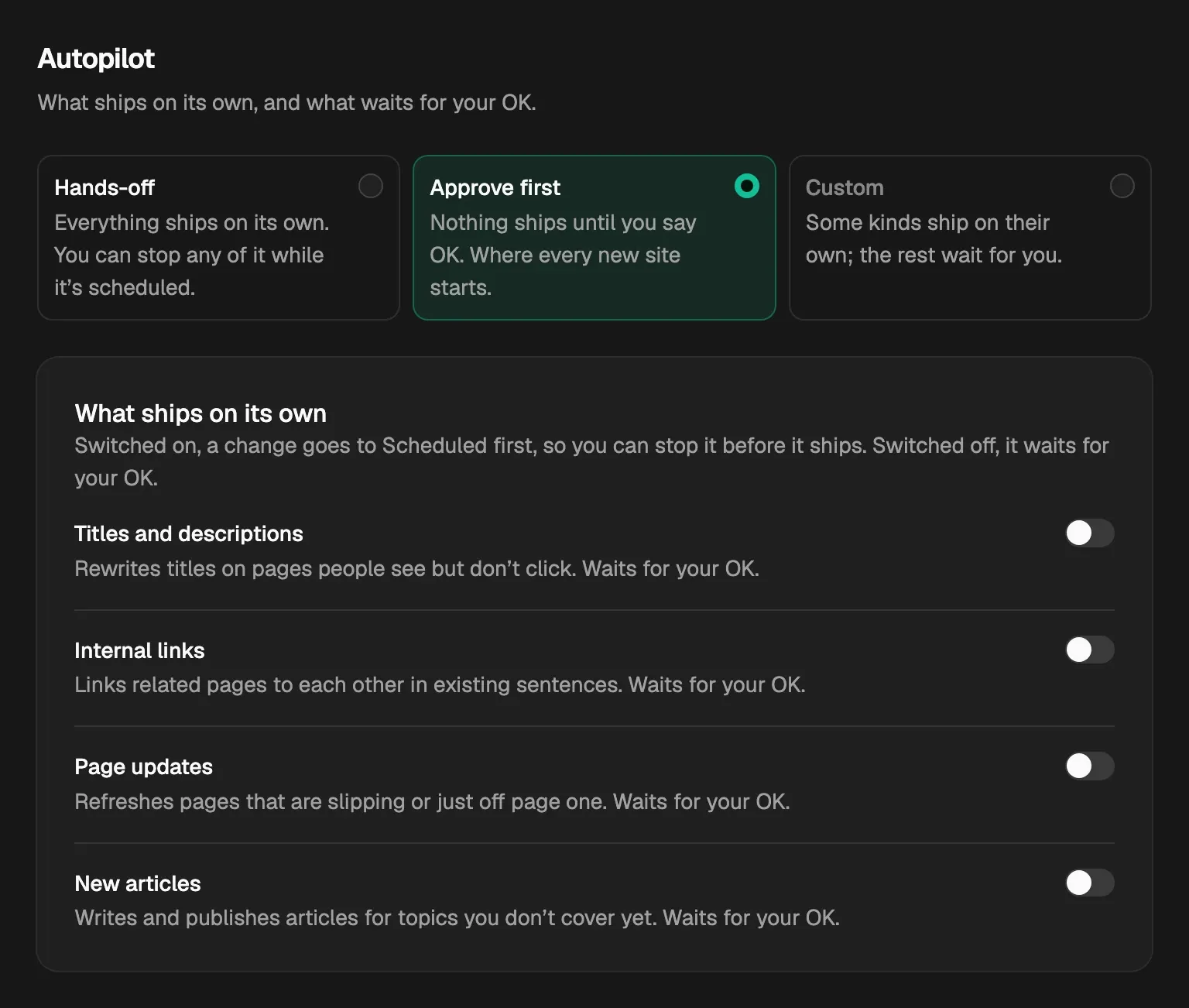
The three modes
- Hands-off: everything ships on its own. Each change goes to Scheduled first, so you can still stop it before it goes live.
- Approve first: nothing ships until you say OK. Each change waits in Opportunities › Needs your OK.
- Custom: some kinds of change ship on their own and the rest wait for you. You get Custom by turning the switches below on or off one at a time.
The four switches
Each switch covers one kind of change:
Switched on, a change goes to Scheduled first, so you can stop it before it ships. Switched off, it waits for your OK. Each switch saves as you flip it.

The same four switches are in the Autopilot menu at the top of Opportunities, which shows how many are on.
What happens to cards already in the queue
- Turning a switch on moves that kind's cards from Needs your OK to Scheduled.
- A card you sent back with Hold for my OK keeps waiting for you, whatever the switch says.
- Turning a switch off moves that kind's cards back to Needs your OK. A card you approved yourself stays scheduled.
Note: Autopilot only decides whether a change waits for you. It doesn't change how much ships: one change starts each day, after your site's publish time.
New articles with the switch off
When you approve a new article while New articles is off, CitedSEO writes it and checks it, then the finished article waits in Articles, marked Ready for your OK, until you press Publish. With the switch on, it goes live on its day once it passes its checks.
Related
Was this helpful?
Still need help? Share an idea