How CitedSEO writes an article
Every new article goes through the same five steps, research, brief, draft, checks and images, before it's ready for you.
Written By Damian
Last updated About 2 hours ago
CitedSEO writes each new article in five steps: it researches the search and keeps the pages it reads, plans the article from the pages that rank (the brief), writes the draft from the facts it found, checks it and fixes what fails, then makes the images. While it works, the article shows as Writing in Articles. It's ready for you only once it passes its checks.
An article starts when you approve a content gap in Opportunities (or autopilot does, with New articles on), or when you press Write this on a search in Keywords.
1. Research
CitedSEO looks at what Google shows for the search: the pages that rank, People also ask and the AI Overview. Then it reads up to 10 pages, at most two from any one site, starting with first-hand sources such as a maker's own help pages, official bodies and research. It never reads your competitors' pages (the ones in Settings › Business) for facts.
From each page it keeps facts, each with a quote in the page's own words. A fact whose quote isn't on the page, or doesn't say what the fact says, is dropped. It also reads your own pages for what you offer.
The next article on the same group of searches reuses this research for up to 90 days.
2. The brief
The brief is the plan, worked out before any writing:
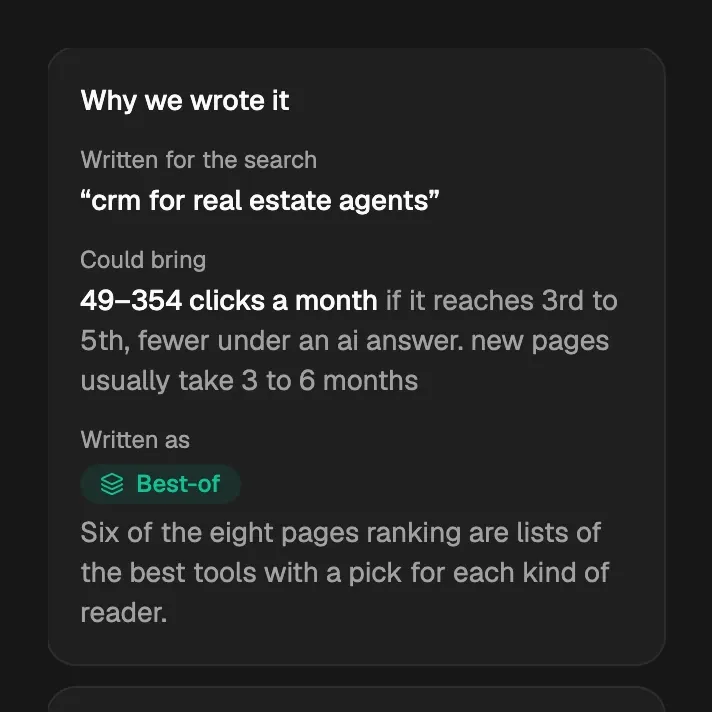
- The type: How-to, Explainer, Guide, Question answer, Listicle, Best-of, Comparison or Alternatives, picked from what the pages ranking now are. The article page shows it under Written as, with the reason.
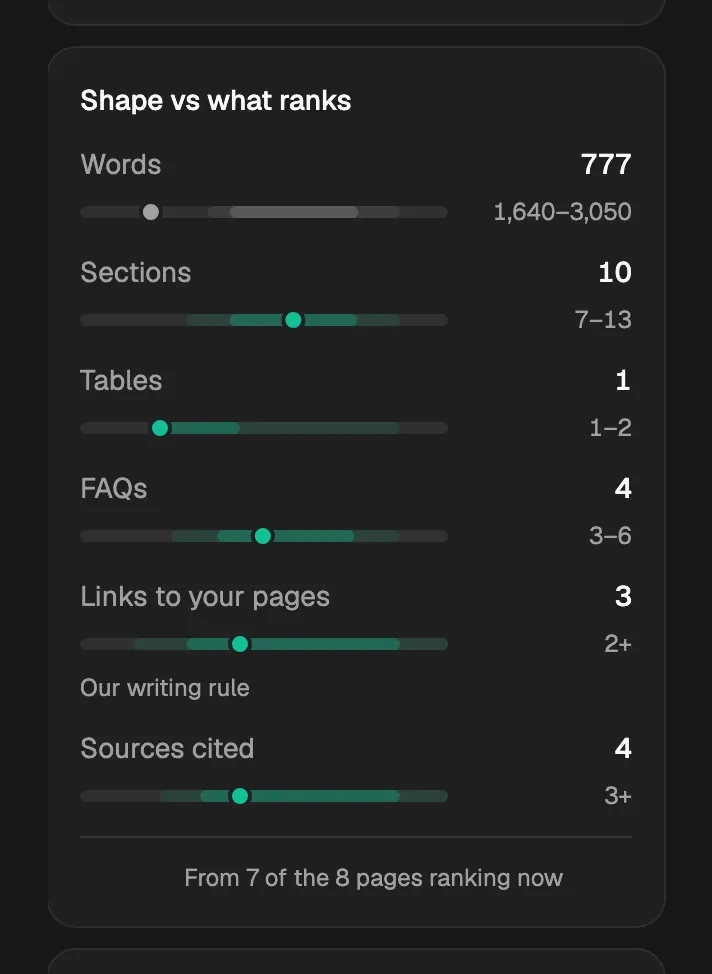
- The shape: how many words, sections, images, tables, FAQs, links to your pages and sources, measured on the pages that rank. A length you set in Settings › Articles wins.
- The outline: each section and what it must cover, the questions people ask (from People also ask and the searches AI assistants run), and which of your pages to link to.
CitedSEO checks the brief can be met before anything is written. If it can't be met after a second try, the article isn't written.
3. The draft
- First, CitedSEO lists anything the outline needs that no fact gives yet, and looks it up.
- It writes the title and search snippet to fit Google's result: a title of 30 to 60 characters and a description of 120 to 160.
- It writes the article in your brand voice, using only the facts research found. It links only to your own pages and to the pages its facts came from.
4. The checks
Every article is held to the same list of checks, shown on the article page under Checked before publishing. A few stop the article until they pass: Facts checked, Every statistic has a source, Answers in the first two sentences, Gives the searcher what they came for, None of your “never say” words or AI stock phrases and each note you wrote for every article. Others, like Sounds like you and Each section answers its heading first, get one try at a fix and never stop it.
When something fails, CitedSEO fixes it, up to two rounds. A fix is kept only when fewer things fail after it. Once the article passes, it writes the key takeaways from the finished article, if you chose Key takeaways for Summary at the top in Settings › Articles.
If something that stops the article still fails, it's marked Stopped at its checks and shows in Needs you. It is never published that way. Open it to see what didn't pass.
5. The images
CitedSEO makes the cover and an image for each place the outline gives one, in the image style from Settings › Brand. It never makes screenshots, charts or logos. Each image gets two tries; one that still can't be made is skipped, and the article goes on without it. You can turn off Cover image and Images in the article in Settings › Articles.
What the article page shows
When it's done
A finished article is marked Ready for your OK until you press Publish. With New articles on in Autopilot, it's Scheduled for its day instead.
Related
Was this helpful?
Still need help? Share an idea