Internal links between your articles
CitedSEO adds links to and from its articles where they're missing, and fixes links that lead to pages that have gone. It only ever edits the articles it wrote.
Written By Damian
Last updated About 2 hours ago
An Internal links card means one of CitedSEO's articles is missing links that would help readers and Google find it, or has a link to a page of your site that has gone. When you approve it, CitedSEO adds the links inside sentences its articles already have, or points the broken link at a live page. It only ever edits articles it wrote, and these cards never claim clicks.
What CitedSEO looks for
CitedSEO counts the links in the text of your pages, not in menus, footers or lists of related posts. For its own articles it uses the version that's live now. It raises a card when:
- Few pages link to one of its articles: fewer than 3 pages link to it in their text.
- An article doesn't link to its topic's main page: CitedSEO groups your searches into topics, each with a main page (its pillar page). The main page can be one CitedSEO wrote or one of yours.
- The topic's main page doesn't link to the article, when the main page is one CitedSEO wrote.
- A link leads to a page that has gone: a link in one of its articles to a page of your site that CitedSEO found gone, or that answers "page not found" (404) or "page removed" (410). A link to a page that moved still lands, so it's left alone.
A link is only suggested between pages about the same thing. CitedSEO finds the pages nearest in what they say, then asks whether someone reading one would want a link to the other. Pages that only share a word are left out.
These cards wait until your first article is live. They don't need Search Console.
What the card shows
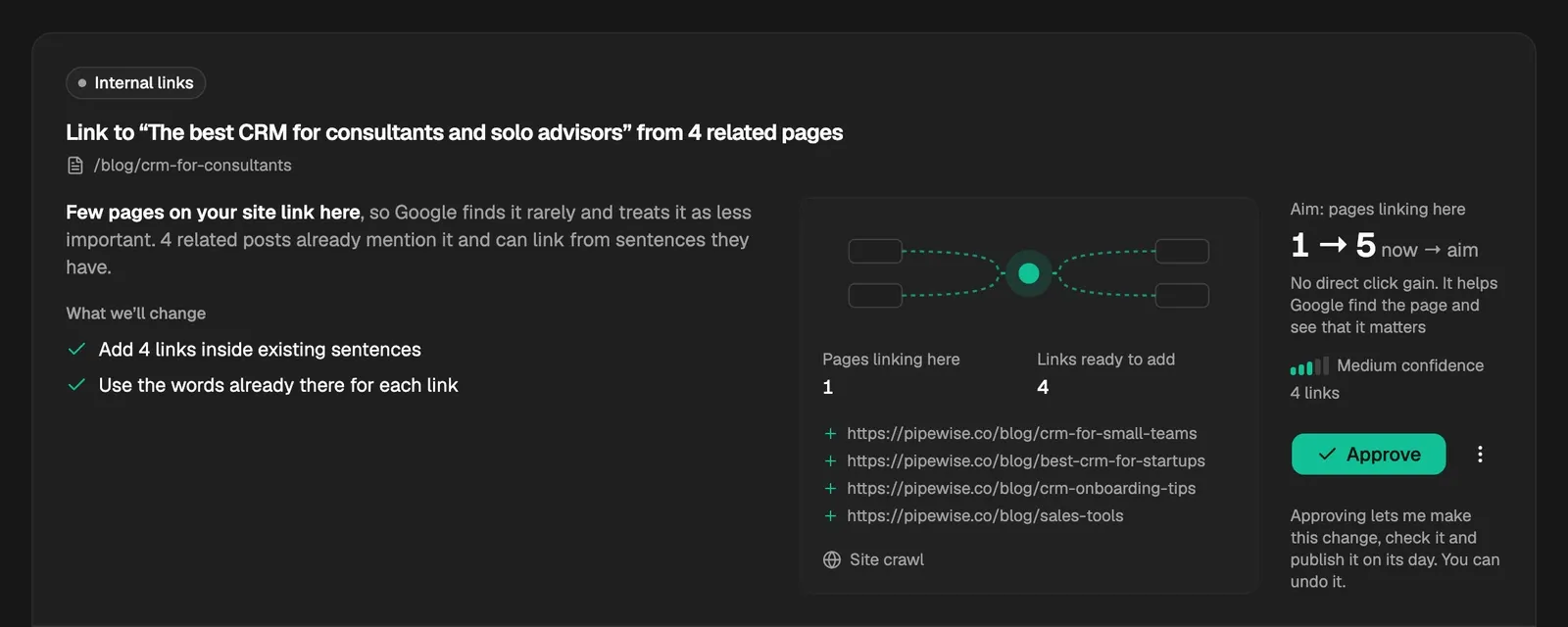
For missing links:
- Pages linking here: how many pages link to the article now.
- Links ready to add, with each page the link would come from.
- Aim: pages linking here: the count now and the aim once the links are added.
For links to pages that have gone, each broken link with its words, the address it points to and Page not found or Page removed, and Aim: links to missing pages, from how many there are now to none.
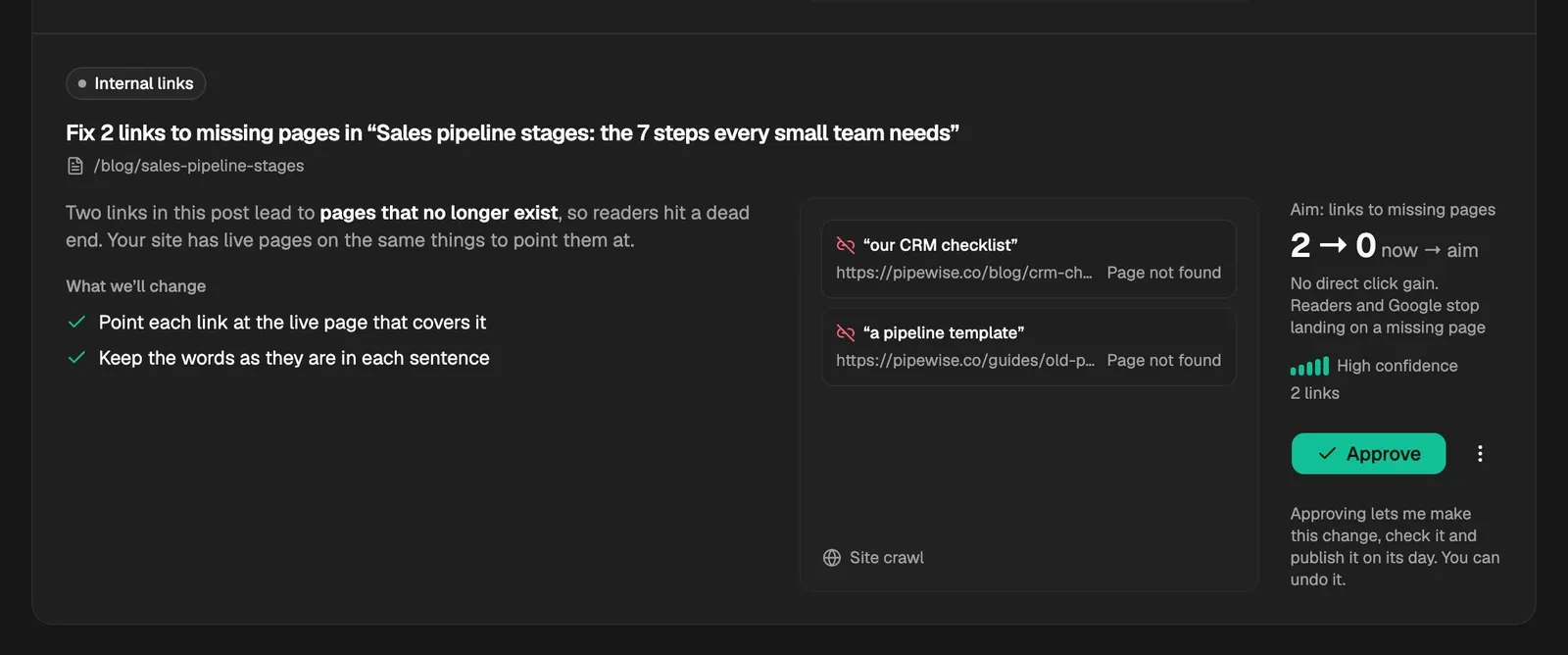
Neither claims a click gain. The line under the aim starts "No direct click gain" and says what the links do instead.
What CitedSEO does when you approve it
Each new link goes on words in a sentence the article already has, where that sentence talks about what the linked page covers. Where no sentence does, CitedSEO adds one short new sentence leading to it. It never adds a list of links. A link to a page that has gone is pointed at the live page of your site that covers the same thing now, or the words stay and the link comes out.
To spread links across your site, one article takes at most 3 new links at a time, and a card names at most 10 pages to link from. The rest come later, once those are live.
Each article changed is checked like any other change, and either every change on the card goes live or none does. Internal links in Autopilot lets these cards ship without waiting for your OK. Once they're live, you can undo them from Opportunities › Shipped, and the links come out again.
What it never does
- It never adds or changes a link in a page CitedSEO didn't write. The page a link points to can be any page of your site.
- It never touches links to other websites.
- It never claims these changes bring clicks.
Related
Was this helpful?
Still need help? Share an idea